
Either Google or Our Sitemap Lied!
404 - Page Not Found
Eric Renderking Fisk | Date: Ages Ago!
The page might have moved and Google (or Bing, Yahoo…) didn’t bother to update their database or I made a mistake and didn’t properly link to what you were looking for on our site map! Just let our webmaster know what’s going on via our forum so he’ll fix it ASAP.
Or, that page has been blocked for some reason by most or all of the search engines.
Podcast Episode: Why JFK Was Killed: The Nexus of Dark Forces that came together to execute the American Dream." The original file is till in the "Metaphysical" folder on our server but can't or won't be displayed on any browsers or indexed on search engines. The new home for this epsiode is in the "Podcast 2016" folder, which can be found here.
Meanwhile - check out some of our older articles - In the past few years we've had some really great special features, most of which you can find here!
If you would like The Fedora Chronicles to host a special page for your travels or to commemorate something you've done that you know fellow Retrocentrics would want to read about, send us an email or contact us via your forum: The Electric Speakeasy.

Where Is The Fedora Bar?
Vintage Aficionado "Wild Root" found this picture on-line, and many theories on where “The Fedora Bar” actually is.
Updated November 2007: For many years, none of us knew where it was or what kind of establishment it was until Doug Palumbo discovered it's location. Finding The Fedora Bar - "During Prohibition, the restaurant (known as Charlie’s Garden) was run as a law-abiding operation. However, as was the case with many “legitimate” businesses during that time, they also ran a speakeasy in the back of the building, complete with passwords and a hidden door."
This looks like a great place to visit! Have you been there? If so, drop us a line.
Albums
Ottawa Summit 2005: by Craig "Farnham54" Whitton - June 2005 Craig shares with us a special gathering will fellow IndyGearheads in Canada in 2005
Adventure Summit 2016
 Carolina
Quirk And The Treasure Of The Lost Time Capsule: December 17th, 2007
Carolina
Quirk And The Treasure Of The Lost Time Capsule: December 17th, 2007
Recently my grandmother (on my mother’s side), a wonderful woman passed away peacefully at the age of 97. Our family had been planning to visit her at her home in St. Louis over Christmas since this summer, and we decided that we would go to her home as planned and help with finalizing matters and to have a memorial service.
Among all this, my mother told me and my brother that in the late 1950s or early 1960s her father and next door neighbor had buried a time capsule in their backyard under their brick barbeque. It was my grandmother’s wish that after she passed that the capsule be dug up. The barbeque has long since fallen into disuse and is very overgrown, so it should be a bit of a challenge. Adding to this is the fact that no one is quite sure if it was buried directly under, or to the side of the structure.
So with a spirit of suburban adventure I will don my gear and head out to the backyard in a week with my brother to find and unearth the time capsule. I will fully document it and what (if anything) we recover. Our family had been planning to visit her at her home in St. Louis over Christmas since this summer, and we decided that we would go to her home as planned and help with finalizing matters and to have a memorial service. [Click for the rest of the story.]
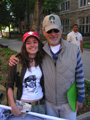 "Meeting Steven Spielberg," By: Elodie Cinquanta - (AKA: Elodie Jones)
"On Wednesday June 27, 2007, three international fans (Elodie Jones from
Switzerland, her friend Fred China from France, and Aaron Wilkinson from
New Zealand) left for New Haven, CT. to fulfill their biggest dream. This
dream was to see Indiana Jones IV in production at Yale University and to
meet the director of the film, Steven Spielberg. - On Monday June 2, that
dream became a reality!
"Meeting Steven Spielberg," By: Elodie Cinquanta - (AKA: Elodie Jones)
"On Wednesday June 27, 2007, three international fans (Elodie Jones from
Switzerland, her friend Fred China from France, and Aaron Wilkinson from
New Zealand) left for New Haven, CT. to fulfill their biggest dream. This
dream was to see Indiana Jones IV in production at Yale University and to
meet the director of the film, Steven Spielberg. - On Monday June 2, that
dream became a reality!
"The Excesses of Prohibition Chicago" by Aaron Sharp ("Paden" on our forum...) with Photos By Jonathan Pokay - Mr. Sharp shares with The Fedora Chronicles his essay written for college about our favorite period in history in one of our favorite cities!
What favorite special features from The Fedora Chronicles past have we missed? Let us know via Facebook!
